
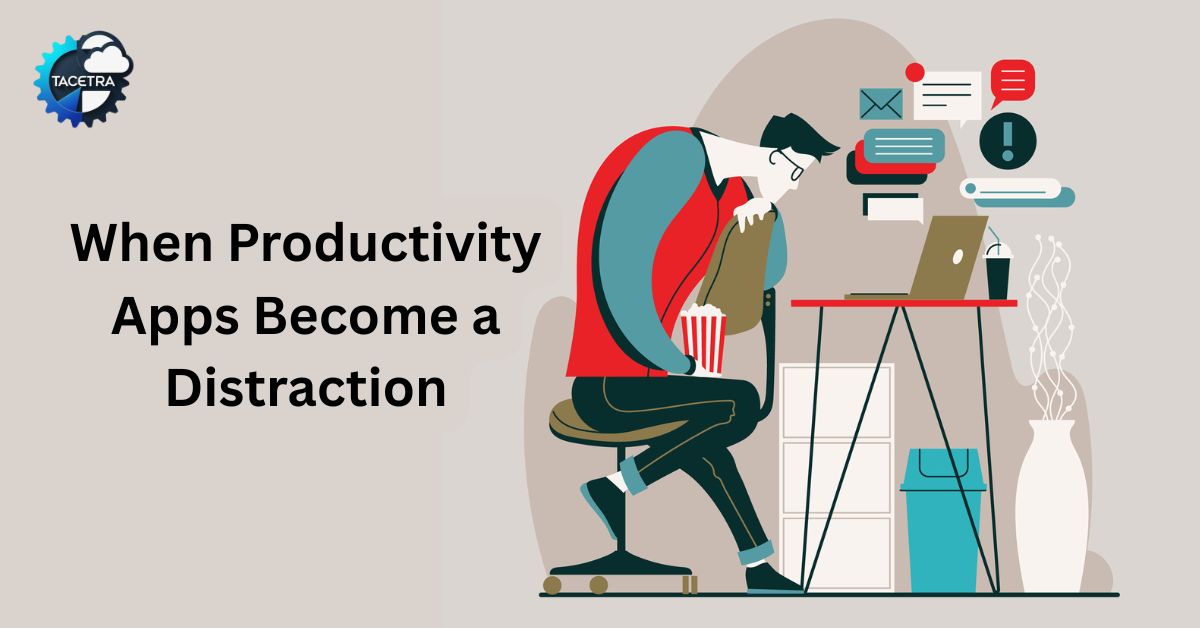
We’ve all been there. You spend two hours on a Sunday evening perfectly color-coding your Notion workspace, setting up automated recurring tasks in Todoist, and meticulously tagging every item in your digital “Second Brain.”
By the time you finish, you feel like a superhero. You feel organized. You feel… productive.
But then Monday morning hits. You open your app and are greeted by a list of 37 “High Priority” tasks, 14 overdue items from last week, and a mountain of notifications. Instead of diving into your most important project, you feel a familiar wave of anxiety. You spend the next hour “re-organizing” the list, moving dates around, and checking off the easy, low-value tasks just to see the progress bar move.
The hard truth? Your productivity system has become your favorite way to procrastinate.
When Task Lists Become Procrastination
Modern productivity apps like Notion, Todoist, and Obsidian are powerful. They let you build dashboards, recurring tasks, filters, tags, and project timelines.
But here’s the uncomfortable truth: organizing can feel like progress.
Psychologists call this “structured procrastination.” You’re busy, but not necessarily productive. Research on decision fatigue from American Psychological Association shows that the more choices we face, the harder it becomes to take action. A long task list is nothing but choices.
When you open your app and see 37 tasks, your brain doesn’t say, “Let’s get started.”
It says, “Which one? What if I pick the wrong one? Maybe I’ll just answer emails.”
Suddenly the easy tasks get done. The important ones stay untouched.
The “Organization” Trap
The problem isn’t that you’re lazy. The problem is that a long to-do list creates a second, invisible job: The Job of Deciding.
When you stare at a list of 20 items, your brain treats “pick from these options” as a heavy cognitive task. This is known as decision fatigue. Before you’ve even sent a single email, you’ve already burned through your mental energy just trying to figure out where to start.
We often choose the “quick wins”—checking the mail, Slack messages, or filing digital folders—because they give us a hit of dopamine. Meanwhile, the “scary” work (the deep work that actually moves the needle) gets pushed to tomorrow.
The “One-Task” Rule: How to Burn the System Down
A recent discussion in a popular online productivity community highlighted a radical shift that’s helping people reclaim their focus: Deleting the apps and going back to the basics.
The secret isn’t in how you organize the list; it’s in how much of the list you allow yourself to see. If you’re feeling overwhelmed, try this “one-task” protocol to 10x your output:
1. The Sticky Note Filter
The digital mountain is the source of your anxiety. To fix this, you need visual isolation.
- The Action: Every morning, look at your master list (or your “brain dump”) and pick exactly one thing.
- The Example: Write “Finish Q3 Budget Draft” on a physical sticky note.
- The Rule: Close your laptop lid, put your phone away, and place that sticky note in front of you. Until that task is done, the rest of the world does not exist.
2. The “Closed” Brain Dump
We often get distracted by “side quests.” You’re mid-report and suddenly remember you need to buy dog food. Normally, you’d open your app, see 50 other chores, and lose your flow.
- The Action: Keep a “Scratchpad” (a notebook or a simple text file) nearby.
- The Example: When the dog food thought hits, scribble “buy dog food” on the pad and immediately close it.
- The Rule: Do not process the scratchpad until your current task is finished.
3. Use the Eisenhower Matrix for Selection
If you struggle with which task to put on your sticky note, use the Eisenhower Matrix. Categorize your tasks by Urgent and Important.
- If it’s both, it goes on the sticky note first.
- If it’s Important but not Urgent (like long-term skill building), schedule a “One-Task” block for it before the day gets chaotic.
Why Analog Beats Digital for Focus
While apps are great for storage, they are terrible for execution. There is a psychological weight to a digital list that never ends. In contrast, a physical piece of paper has “done-ness.”
When you finish a task on a sticky note and crumble it up, your brain receives a much more satisfying “reward signal” than clicking a digital checkbox. This is a concept explored in depth in Cal Newport’s Deep Work, which emphasizes that high-quality output requires long periods of distraction-free concentration.
Separate Your “Storage List” From Your “Focus List”
Most people use one list for everything. That’s the mistake.
Instead:
- Keep a master list (digital or paper) where everything lives.
- Each morning, pull 1–3 meaningful tasks into a “Today” list.
- Hide the master list once you start working.
Example:
If you’re a marketing manager with 42 tasks in Todoist, don’t work from that full view. Create a filtered “Today” view with just three high-impact items.
You reduce anxiety without losing organization.
When Full Task Systems Still Make Sense
Let’s be clear: not everyone can function on sticky notes.
If you manage multiple teams, deadlines, and dependencies, structured tools are necessary. Apps like Notion are powerful for collaboration and long-term planning.
The lesson isn’t “delete your tools.”
It’s this:
Use tools for planning.
Use simplicity for execution.
Planning mode and execution mode are different mental states. Mixing them is what creates paralysis.
Practical Tips for Transitioning
If you aren’t ready to delete your apps entirely, you can still apply these human-centric principles:
- The “Intentions” Filter: If you use Notion or Todoist, create a view called “Today” that filters out everything except the 3 things you absolutely must do. Hide the sidebar.
- The 3-Item Limit: Never have more than three items on your daily list. If you finish them, you can add more, but starting with 20 is a recipe for failure.
- The “No-Phone” Morning: Don’t check your digital task manager until you’ve spent 60 minutes on your #1 priority.
A Simple Productivity Framework You Can Try This Week

Most people discover that fewer visible tasks create more visible progress.
Summary: Focus on Doing, Not Managing
Productivity isn’t about how many tasks you can track; it’s about how many you can finish. If your current system feels like a “digital inventory of guilt,” it’s time to simplify.
Stop managing the mountain and start taking one single, visible step.
Pick one task. Write it down. Hide the rest.
You’ll be surprised at how much faster you move when you aren’t carrying the weight of the whole list on your shoulders.
Further Reading: My Brain on Paper: How Journaling Helped My Productivity
Discover more from TACETRA
Subscribe to get the latest posts sent to your email.
