
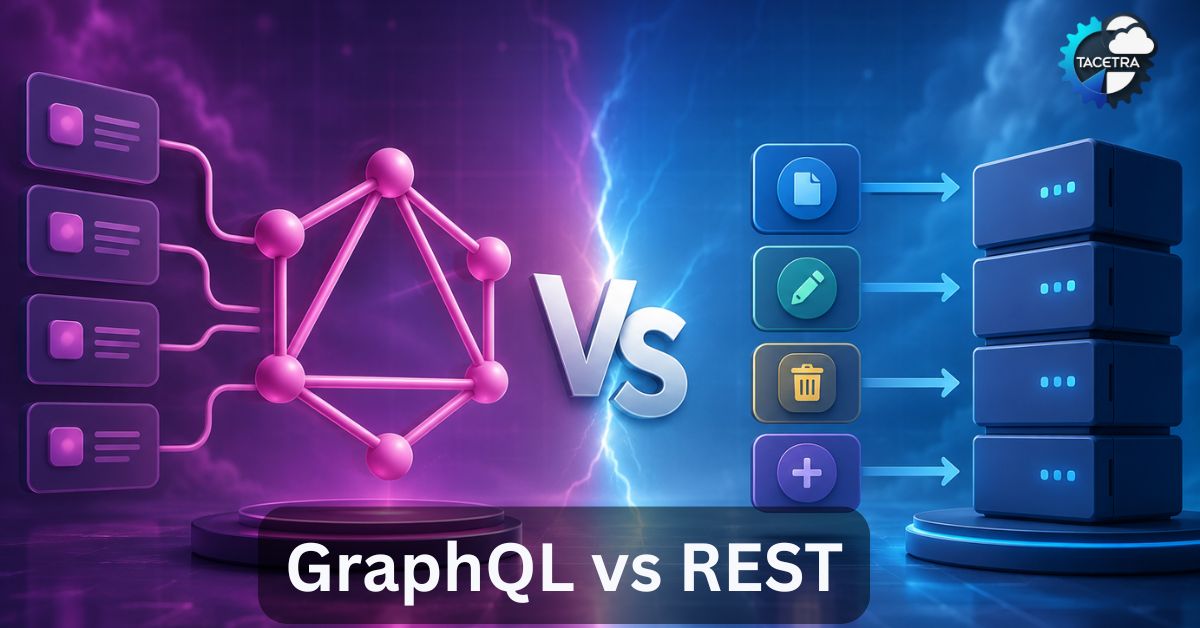
If you’ve built or worked with web APIs, you already know REST. It has been the default approach for designing APIs for over two decades, and for good reason—it’s simple, predictable, and builds directly on standard HTTP. However, over the past few years, GraphQL has matured into a dominant alternative, trusted by tech giants like Meta, GitHub, Shopify, and Netflix.
So, what is the actual difference? And more importantly—which architecture should you choose for your next project?
This guide breaks down GraphQL vs REST in plain terms, assuming you already understand REST basics but are new to the world of GraphQL.
Quick Summary: GraphQL vs REST at a Glance

| Feature | REST | GraphQL |
|---|---|---|
| Type | Architectural style | Query language for APIs |
| Endpoints | Multiple endpoints (one per resource) | Single endpoint (usually /graphql) |
| Data Fetching | Fixed structure defined by the server | Client specifies exactly what it needs |
| Over-fetching | Common problem | Solved by design |
| Under-fetching | Common (requires multiple requests) | Solved (one query returns all nested data) |
| Versioning | Usually via URL (e.g., /v1/, /v2/) | Rarely needed; the schema evolves continuously |
| Caching | Simple, built directly into HTTP | More complex, requires specialized client tooling |
| Learning Curve | Low to moderate | Moderate |
| Best For | Simple, resource-based CRUD APIs | Complex, highly relational, or mobile-first apps |
The Standard Approach: What Is REST?
REST (Representational State Transfer) is an architectural style built around resources and standard HTTP methods. Each resource—whether it’s a user, a product, or an order—gets its own distinct URL path. You interact with these resources using standard HTTP verbs: GET, POST, PUT, PATCH, and DELETE.
GET    /api/users/42
GET    /api/users/42/posts
GET    /api/posts/17/comments
POST   /api/users
DELETE /api/users/42
This design is highly intuitive and maps cleanly onto database CRUD operations. However, efficiency tradeoffs appear as frontend data requirements become more complex.
1. The Over-fetching Problem
Imagine you need to display just a user’s name and their last three post titles on a profile page. With a traditional REST API, calling /api/users/42 might return the entire user object—including email, billing address, account settings, and bio. Downloading data that the UI ultimately discards is known as over-fetching, and it wastes valuable bandwidth.
2. The Under-fetching Problem
Conversely, suppose you need to display a user, all of their posts, and the total comment count for each post. A single REST endpoint rarely provides all of this unrelated data at once. You are forced to chain multiple requests together:
GET /api/users/42
GET /api/users/42/posts
GET /api/posts/17/comments/count
GET /api/posts/18/comments/count
This is under-fetching. Because one endpoint doesn’t give you enough information, the client must make several network round-trips. On a slow mobile connection, these sequential requests create noticeable lag.

The Modern Alternative: What Is GraphQL?
GraphQL is an open-source query language and runtime for APIs. Instead of exposing dozens of resource-specific endpoints, GraphQL exposes a single gateway endpoint and shifts data control to the client. The frontend application describes the exact shape of the data it needs inside the request itself.
Here is how you would handle that same “user + last 3 posts” request using GraphQL:
query {
  user(id: 42) {
    name
    posts(limit: 3) {
      title
      commentCount
    }
  }
}
This represents one request and one response, containing only the specific fields requested. GraphQL inherently eliminates both over-fetching and under-fetching.
How the Server Responds
The structure of the JSON response mirrors the requested query exactly, making data parsing incredibly predictable:
{
  "data": {
    "user": {
      "name": "Priya Shah",
      "posts": [
        { "title": "Intro to APIs", "commentCount": 4 },
        { "title": "REST Basics", "commentCount": 12 },
        { "title": "GraphQL Basics", "commentCount": 0 }
      ]
    }
  }
}
Key Architectural Differences Breakdown
1. Endpoints: Distributed vs Consolidated
REST spreads its functionality across many URLs. GraphQL consolidates everything behind one entry point, relying entirely on the query payload to determine the backend execution path.
2. Data Shape: Server-Driven vs Client-Driven
In a REST environment, the server team dictates the response payload structure. With GraphQL, the frontend client controls the data shape. This is the single biggest mental shift when adopting GraphQL.
3. API Evolution and Versioning
As business requirements change, REST APIs typically introduce breaking updates via the URL path (e.g., /v1/users to /v2/users). This means older versions must be maintained concurrently. GraphQL avoids hard versioning cuts. Instead, developers append new fields to a strongly typed schema and mark old fields as @deprecated, allowing clients to migrate seamlessly at their own pace.
4. Caching Mechanics
This is where REST holds a significant advantage. Because REST leverages unique URLs for distinct data requests, it works natively with standard HTTP caching mechanisms found in web browsers, CDNs, and reverse proxies. GraphQL primarily utilizes POST requests directed at a single endpoint, rendering native HTTP caching ineffective. Achieving efficient caching in GraphQL requires advanced application-level tooling like Apollo Client, Relay, or persisted queries.
5. Error Handling Patterns
REST relies heavily on standard HTTP status codes (like 404 Not Found, 403 Forbidden, or 500 Internal Server Error). GraphQL handles errors differently: it almost always returns a 200 OK status code. If an error occurs during execution, the server attaches an errors array alongside the partial data payload, meaning client-side code must inspect the JSON body rather than HTTP headers to verify a request’s success.

When to Use REST
- You are developing a straightforward CRUD application or lightweight microservices.
- Heavy reliance on standard HTTP/CDN caching is critical for performance (e.g., public content delivery).
- Your engineering team is already well-versed in RESTful patterns and time-to-market is the primary metric.
- File upload and download streams represent a core requirement of your application, which REST handles out of the box natively.
When to Use GraphQL
- Your UI requires data aggregated from multiple backend data points simultaneously (e.g., complex dashboards, social feeds).
- You support multiple frontend platforms (Web, iOS, Android) that need different data shapes from the exact same backend service.
- Your database models are deeply nested, relational, or graph-structured.
- You require strict type safety and want self-documenting APIs out of the box via schema introspection.
- Bandwidth optimization is a strict priority, such as targeting mobile devices on slow cellular networks.
Can You Use Both?
Absolutely—and many enterprise organizations do exactly that. It’s common to maintain standard REST endpoints for simple, public web assets, while implementing a GraphQL gateway layer on top of existing internal REST microservices to serve complex frontend applications. You don’t have to rewrite a working ecosystem to adopt GraphQL.
Final Verdict
Neither architecture is inherently “better” than the other; they simply solve different problems. Choose REST when your data requirements are straightforward, resource-oriented, and rely heavily on cache layers. Choose GraphQL when your client apps demand flexibility, aggregate nested relational data, and want to eliminate endpoint sprawl.
Want a deeper dive into GraphQL schema design, resolvers, or migrating an existing REST API to GraphQL? Let me know in the comments below!
Further Reading: Building a Complete Task Tracker with React Hooks
Discover more from TACETRA
Subscribe to get the latest posts sent to your email.
