
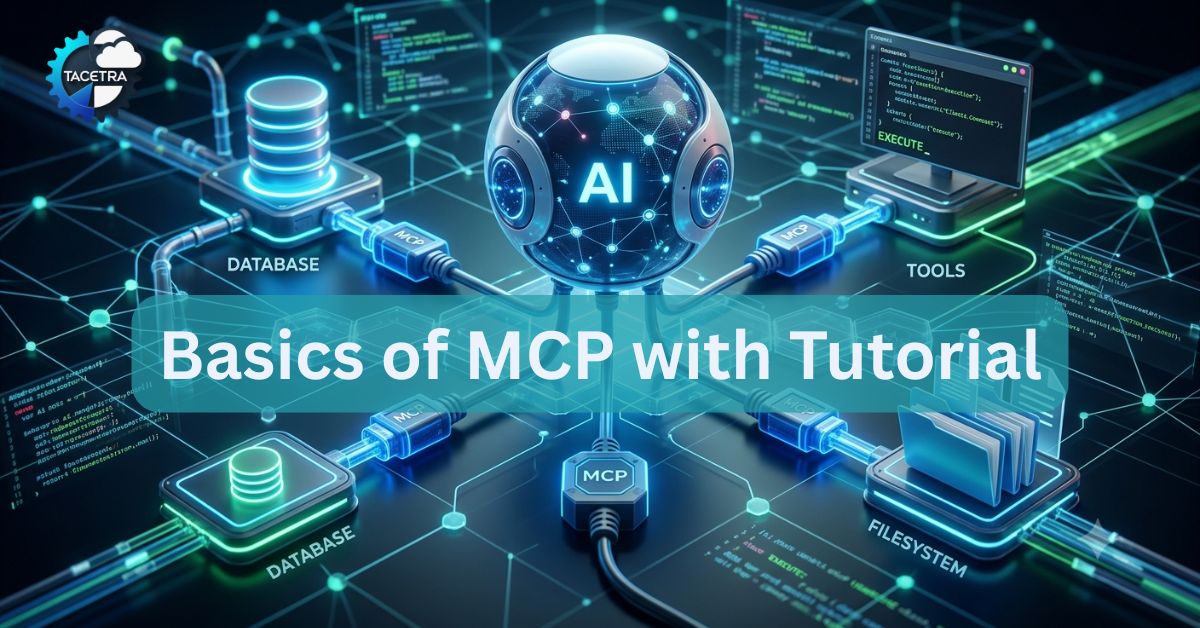
Large language models are good at generating text and reasoning about information, but they are limited by the information and tools they can access.
What if an AI assistant could safely query your database, read files, call your APIs, or interact with your internal systems?
That is where MCP, or Model Context Protocol, comes in.
MCP provides a standardized way for AI applications to connect to external data and tools. Instead of building a custom integration for every AI application, you can expose your functionality through an MCP server and let compatible AI clients discover and use it.
In this tutorial, we’ll first understand what MCP is and how it works, then build a simple database query MCP server in Python from scratch.
By the end, you’ll have a working MCP server that an MCP-compatible client can use to query a SQLite database.
What Is MCP?
Model Context Protocol (MCP) is an open protocol that standardizes how AI applications interact with external tools, data, and context.
The simplest way to think about MCP is:
MCP is a standard interface between an AI application and external capabilities.
For example, suppose you have an application with a customer database.
Without MCP, you might build a custom integration specifically for one AI application:
AI Application
      |
      v
Custom Database Integration
      |
      v
Database
With MCP, your database functionality can be exposed through an MCP server:
                 +----------------+
                 |   AI Host      |
                 | Claude / IDE   |
                 +-------+--------+
                         |
                    MCP Client
                         |
                         v
                 +---------------+
                 |  MCP Server   |
                 | Python        |
                 +-------+-------+
                         |
                         v
                    Database
The AI host does not need to understand your database implementation. It only needs to understand MCP.
The official MCP architecture separates the host, client, and server. An AI application acts as the host, creates an MCP client connection for each server, and the MCP server exposes capabilities such as tools, resources, and prompts.
Why Do We Need MCP?
Imagine you have:
- a PostgreSQL database
- a GitHub repository
- an internal REST API
- company documentation
- a ticketing system
You want an AI assistant to work with all of them.
Without a standard protocol, every AI application could require a different integration.
MCP provides a common interface:
                MCP
                 |
      +----------+----------+
      |          |          |
   Database     APIs      Files
      |          |          |
   MCP Server MCP Server MCP Server
This means you can build an MCP server once and potentially use it with multiple MCP-compatible hosts.
The protocol itself focuses on context exchange and interaction between AI applications and external systems. It does not dictate which LLM an application must use.
How Does MCP Work?
There are three important concepts to understand.
1. MCP Host
The host is the AI application the user interacts with.
Examples include AI assistants, coding environments, and other applications that support MCP.
The host manages MCP connections and decides how the tools and context provided by servers are made available to the model.
2. MCP Client
The client is the component inside the host that communicates with an MCP server.
A host can connect to multiple MCP servers, with a client connection associated with each server.
For example:
AI Host
 |
 +-- MCP Client --> Database Server
 |
 +-- MCP Client --> GitHub Server
 |
 +-- MCP Client --> Documentation Server
3. MCP Server
The MCP server exposes capabilities that an AI application can use.
An MCP server could provide:
- database queries
- file access
- API calls
- search
- calculations
- business operations
An MCP server does not have to be a large application. It can be a relatively small Python program.
MCP Tools, Resources, and Prompts
MCP servers have three core primitives: tools, resources, and prompts.
Tools
Tools are executable functions.
For our database example, a tool could be:
query_database()The AI can decide to call this tool when the user asks something that requires database information.
Resources
Resources provide data or context that an application can retrieve.
For example, a database MCP server could expose:
database://schemacontaining information about tables and columns.
Prompts
Prompts are reusable templates that help structure interactions.
For example, a database server might provide a prompt that tells an AI assistant how to analyze customer data.
For this tutorial, we’ll focus primarily on tools, because a database query is a good example of an MCP tool.
What We Are Going to Build
We’re going to create a small Python MCP server that exposes a database query tool.
The finished application will look like this:
AI Assistant
     |
     | MCP
     v
+----------------------+
| Python MCP Server    |
|                      |
| query_database()     |
+----------+-----------+
           |
           v
+----------------------+
| SQLite Database      |
|                      |
| customers            |
| orders               |
+----------------------+
The user could ask an AI assistant:
“Show me all customers from Wisconsin.”
The AI can determine that the database tool is appropriate, construct the appropriate query, and call the MCP server.
The server executes the query and returns the results.
Prerequisites
You should have:
- basic Python knowledge
- Python 3.10 or newer
- a terminal
- an MCP-compatible client for testing
The official MCP Python SDK currently requires Python 3.10+.
We’ll use SQLite so you don’t need to install PostgreSQL or MySQL.
Step 1: Create the Python Project
Create a new directory:
mkdir database-mcp-server
cd database-mcp-server
Create a virtual environment:
python -m venv .venvActivate it on macOS or Linux:
source .venv/bin/activateOn Windows:
.venvScriptsactivateThe official MCP Python SDK can be installed with:
pip install "mcp[cli]"The [cli] extra gives you the MCP command-line tools used during development.
Step 2: Create a Sample Database
Before building the MCP server, let’s create a small SQLite database.
Create:
database.pyAdd:
import sqlite3

DB_PATH = "company.db"


def create_database():
    connection = sqlite3.connect(DB_PATH)

    cursor = connection.cursor()

    cursor.execute("""
        CREATE TABLE IF NOT EXISTS customers (
            id INTEGER PRIMARY KEY,
            name TEXT NOT NULL,
            email TEXT NOT NULL,
            city TEXT NOT NULL
        )
    """)

    cursor.execute("""
        CREATE TABLE IF NOT EXISTS orders (
            id INTEGER PRIMARY KEY,
            customer_id INTEGER NOT NULL,
            product TEXT NOT NULL,
            amount REAL NOT NULL,
            FOREIGN KEY (customer_id) REFERENCES customers(id)
        )
    """)

    cursor.executemany(
        """
        INSERT OR IGNORE INTO customers
        (id, name, email, city)
        VALUES (?, ?, ?, ?)
        """,
        [
            (1, "Alice Johnson", "alice@example.com", "Madison"),
            (2, "Bob Smith", "bob@example.com", "Chicago"),
            (3, "Carol Davis", "carol@example.com", "Madison"),
        ],
    )

    cursor.executemany(
        """
        INSERT OR IGNORE INTO orders
        (id, customer_id, product, amount)
        VALUES (?, ?, ?, ?)
        """,
        [
            (1, 1, "Laptop", 1200.00),
            (2, 1, "Monitor", 350.00),
            (3, 2, "Keyboard", 100.00),
            (4, 3, "Laptop", 1200.00),
        ],
    )

    connection.commit()
    connection.close()


if __name__ == "__main__":
    create_database()
    print("Database created.")
Run it:
python database.pyYou should now have:
database-mcp-server/
├── .venv/
├── company.db
└── database.py
Step 3: Build the MCP Server
Now for the interesting part.
Create:
server.pyOur first version will expose a single MCP tool called query_database.
import sqlite3

from mcp.server.fastmcp import FastMCP


DB_PATH = "company.db"

mcp = FastMCP("Database Server")


@mcp.tool()
def query_database(query: str) -> str:
    """Execute a read-only SQL query against the company database."""

    connection = sqlite3.connect(DB_PATH)
    connection.row_factory = sqlite3.Row

    try:
        cursor = connection.cursor()

        cursor.execute(query)

        rows = cursor.fetchall()

        if not rows:
            return "No results found."

        results = [dict(row) for row in rows]

        return str(results)

    finally:
        connection.close()
There is surprisingly little code here.
The important part is:
@mcp.tool()
def query_database(query: str) -> str:
The decorator tells the MCP SDK that this Python function should be exposed as an MCP tool.
The Python type annotation:
query: strhelps the SDK generate the tool’s input schema.
The docstring:
"""Execute a read-only SQL query against the company database."""also gives the MCP client useful information about what the tool does.
The SDK uses Python type hints and docstrings to generate tool definitions.
Step 4: Start the MCP Server
Add this to the bottom of server.py:
if __name__ == "__main__":
    mcp.run()
Your complete file is now:
import sqlite3

from mcp.server.fastmcp import FastMCP


DB_PATH = "company.db"

mcp = FastMCP("Database Server")


@mcp.tool()
def query_database(query: str) -> str:
    """Execute a read-only SQL query against the company database."""

    connection = sqlite3.connect(DB_PATH)
    connection.row_factory = sqlite3.Row

    try:
        cursor = connection.cursor()

        cursor.execute(query)

        rows = cursor.fetchall()

        if not rows:
            return "No results found."

        results = [dict(row) for row in rows]

        return str(results)

    finally:
        connection.close()


if __name__ == "__main__":
    mcp.run()
We now have a basic MCP server.
But there is an important problem.
Don’t Give an AI Unlimited SQL Access
Our example above accepts any SQL statement.
That means an AI could potentially execute:
DROP TABLE customers;or:
DELETE FROM customers;That’s obviously dangerous.
A production MCP server should not blindly expose unrestricted database access.
For this tutorial, we’ll make the tool read-only.
A simple first layer of protection is to allow only SELECT statements.
Replace the tool with:
@mcp.tool()
def query_database(query: str) -> str:
    """Run a read-only SELECT query against the company database."""

    query = query.strip()

    if not query.lower().startswith("select"):
        return "Only SELECT queries are allowed."

    connection = sqlite3.connect(DB_PATH)
    connection.row_factory = sqlite3.Row

    try:
        cursor = connection.cursor()
        cursor.execute(query)

        rows = cursor.fetchall()

        if not rows:
            return "No results found."

        return str([dict(row) for row in rows])

    except sqlite3.Error as error:
        return f"Database error: {error}"

    finally:
        connection.close()
This is better, but it is still not a complete security solution.
For a real application, consider:
- using a database account with read-only permissions
- limiting which tables can be queried
- validating SQL syntax
- enforcing query timeouts
- limiting returned rows
- preventing access to sensitive columns
- logging tool calls
- authenticating remote MCP clients
- adding authorization rules
An MCP server should be treated as an application boundary, not as a trusted extension of the AI model.
Step 5: Test the MCP Server
The official MCP Python SDK provides the MCP Inspector for testing and debugging servers.
Run:
uv run mcp dev server.pyThe official documentation recommends the Inspector as a development and debugging tool for MCP servers.
If you are using the project environment directly, you can also run your Python server normally:
python server.pyThe Inspector allows you to see the tools your server exposes and test their inputs and outputs.
You should see something similar to:
query_databasewith an input such as:
{
  "query": "SELECT * FROM customers"
}
Run that query and you should receive your sample customers.
Try:
SELECT * FROM customers;Then:
SELECT name, city FROM customers WHERE city = 'Madison';You should get the corresponding records.
Step 6: Understand What Just Happened
This is the most important part of understanding MCP.
When an MCP client connects to your server, it can discover the tools that the server provides.
Conceptually:
Client
   |
   | What tools do you provide?
   |
   v
MCP Server
   |
   | query_database
   v
Client
The tool definition contains information such as:
Name:
query_database

Description:
Run a read-only SELECT query...

Input:
query: string
The AI application can then make that tool available to the model.
When a user asks:
“Which customers are located in Madison?”
the model can determine that the database tool is relevant.
The flow becomes:
User
 |
 | "Which customers are in Madison?"
 v
AI Model
 |
 | Call query_database(...)
 v
MCP Client
 |
 | MCP request
 v
MCP Server
 |
 | SQL query
 v
SQLite
 |
 | Results
 v
MCP Server
 |
 | Tool result
 v
MCP Client
 |
 v
AI Model
 |
 v
User
That is the basic MCP workflow.
MCP’s tool discovery and invocation model is specifically designed so clients can discover available tools and then call them with structured arguments.
Improving the Database MCP Server
Our example is intentionally simple. A useful production database MCP server would expose more focused tools instead of one unrestricted SQL tool.
For example:
get_customer()
search_customers()
get_customer_orders()
get_order()
get_database_schema()
Instead of asking an AI to generate arbitrary SQL, you could provide:
@mcp.tool()
def search_customers(city: str) -> str:
    """Find customers in a specific city."""

    connection = sqlite3.connect(DB_PATH)
    connection.row_factory = sqlite3.Row

    try:
        cursor = connection.cursor()

        cursor.execute(
            """
            SELECT id, name, email, city
            FROM customers
            WHERE city = ?
            """,
            (city,),
        )

        rows = cursor.fetchall()

        return str([dict(row) for row in rows])

    finally:
        connection.close()
Notice the parameterized query:
WHERE city = ?with:
(city,)This is much safer than constructing SQL by concatenating user input.
A model could then call:
search_customers(city="Madison")instead of generating SQL itself.
This approach also gives you much tighter control over what the AI can access.
Adding a Database Schema Resource
MCP resources are another useful feature for database servers.
A database server could expose information about its schema so the AI application can understand what data is available.
For example:
@mcp.resource("database://schema")
def database_schema() -> str:
    """Return the database schema."""

    return """
    customers(
        id INTEGER,
        name TEXT,
        email TEXT,
        city TEXT
    )

    orders(
        id INTEGER,
        customer_id INTEGER,
        product TEXT,
        amount REAL
    )
    """
Now your server can provide both:
Tools
 └── search_customers()

Resources
 └── database://schema
This is a more realistic MCP design.
The tool performs an operation, while the resource provides contextual information.
That distinction is important when designing MCP servers.
What About MCP Transport?
You may see two common transport options when reading MCP documentation.
STDIO
STDIO is useful when the MCP server runs locally as a child process of the host application.
Conceptually:
AI Application
      |
   STDIO
      |
Python MCP Server
This is convenient for local development and desktop applications.
One important detail: an STDIO MCP server should not write normal logging output to stdout because stdout is used for protocol communication. The official tutorial recommends sending such logs to stderr instead.
Streamable HTTP
For remote MCP servers, Streamable HTTP is the current recommended transport in the official Python SDK documentation.
A simplified architecture looks like:
AI Application
       |
      HTTP
       |
       v
MCP Server
       |
       v
Database
For example, the SDK supports:
mcp.run(transport="streamable-http")The current MCP specification also introduced a stateless protocol core in its July 2026 revision, which makes HTTP-based deployments easier to scale across multiple server instances.
For a beginner, however, start with STDIO. You can move to Streamable HTTP when you need a remotely accessible MCP server.
Common Mistakes to Avoid
| Mistake | Fix |
|---|---|
Using console.log for debug output | Use console.error — stdout is for JSON-RPC |
Forgetting to await server.connect(transport) | Always await the connect call |
| Returning plain strings instead of content blocks | Return { content: [{ type: "text", text: "..." }] } |
| Using relative paths in Claude Desktop config | Always use absolute paths |
| Not handling errors in tool handlers | Wrap tool logic in try/catch and return error text |
| Blocking the event loop in tool handlers | Use async/await for all I/O operations |
MCP vs REST API
If you’ve built REST APIs before, MCP may initially seem similar.
There is some overlap, but they solve different problems.
A REST API might expose:
GET /customers
GET /customers/123
POST /orders
An MCP server exposes capabilities in a way that MCP-compatible AI applications can discover and use.
For example:
search_customers
get_customer_orders
create_order
The important difference is that MCP is designed specifically around AI applications discovering and interacting with tools, resources, and prompts.
You can even put an MCP layer in front of an existing REST API.
AI Application
      |
      v
MCP Server
      |
      v
REST API
      |
      v
Application Database
This means you don’t necessarily have to replace your existing APIs to adopt MCP.
Security Considerations for MCP Servers
Security deserves special attention when an AI can invoke your application.
Never assume that an LLM-generated tool call is trustworthy simply because the request came through MCP.
For a database MCP server:
Use least-privilege database credentials.
If your server only needs to read data, give it a database account that cannot modify tables.
Validate inputs.
Do not blindly pass model-generated values into shell commands, SQL statements, or APIs.
Prefer narrowly defined tools.
A tool such as:
search_customers(city)is easier to secure than:
execute_any_sql(query)Protect sensitive data.
Do not automatically expose passwords, API keys, payment information, private customer information, or other sensitive fields.
Authenticate remote servers.
If your MCP server is exposed over HTTP, implement appropriate authentication and authorization rather than treating the endpoint as public.
The MCP specification includes security and authorization mechanisms, and the current 2026-07-28 revision includes additional authorization hardening.
A Better Production Architecture
A production database MCP server could eventually look like this:
                 AI Host
                    |
                MCP Client
                    |
                    v
             +-------------+
             | MCP Server  |
             +------+------+
                    |
        +-----------+-----------+
        |           |           |
      Auth       Validation    Logs
        |           |           |
        +-----------+-----------+
                    |
             Database Layer
                    |
                    v
              PostgreSQL
The MCP layer becomes a controlled gateway between the AI and your existing systems.
This is one of the most useful ways to think about MCP.
The model doesn’t need direct access to your database.
Instead:
Model
  |
  v
MCP Tool
  |
  v
Your application logic
  |
  v
Database
That gives developers a place to enforce validation, authorization, business rules, and auditing.
What You Should Learn Next
Once you understand this basic server, there are several natural next steps.
- Start by replacing the unrestricted SQL tool with several focused database tools.
- Then add a schema resource so the AI understands the database structure.
- After that, experiment with Streamable HTTP and authentication for remote deployments.
- You can also learn how to build an MCP client yourself rather than relying on an existing AI host.
The official MCP Python SDK provides support for building both servers and clients, as well as STDIO, Streamable HTTP, and SSE transports.
Final Thoughts
MCP is easier to understand when you stop thinking of it as another AI model or framework.
It is a standard communication layer between AI applications and external capabilities.
Our database example demonstrated the basic idea:
AI
 |
 | "Find customers in Madison"
 v
MCP Tool
 |
 | search/query
 v
Database
 |
 | results
 v
AI
The Python implementation itself can be surprisingly small. The more important engineering work is deciding what capabilities the server should expose and how to control access to them.
If you’re new to MCP, start with a small local server, test it with the MCP Inspector, and expose one useful tool. Once that makes sense, adding resources, additional tools, authentication, and remote HTTP transport becomes much easier.
For the latest SDK APIs and protocol changes, use the official MCP documentation and MCP Python SDK documentation, since MCP is evolving quickly and older tutorials can contain outdated APIs.
Further Reading: If You Had to Restart Your Developer Career Today: The Tech Stack That Actually Makes Sense
Frequently Asked Questions (FAQ)
What is the difference between RAG and MCP?
Retrieval-Augmented Generation (RAG) focuses primarily on indexing static textual documents into vector databases to inject knowledge into prompt contexts. MCP is a broad interaction framework that allows an AI to dynamically discover tools, run real-time functions, and interact with external systems.
Can I build an MCP server in TypeScript/Node.js?
Yes! The official @modelcontextprotocol/sdk package for Node.js provides full TypeScript support for building fast and typed MCP servers.
Discover more from TACETRA
Subscribe to get the latest posts sent to your email.
